Developers
Built to be checked, not taken on trust.
What a station's engineer asks before anything touches air: what runs where, how it installs, how data is kept apart, and what gets recorded. Everything on this page is how the software works today — including what it does not do yet.
API status
- Public API: not available yet. An open API for integrations is on the roadmap.
- Webhooks and SDKs: none today.
- Need to connect something? Tell us what.The waitlist form
What it does, on the real screens
test data; private details blurred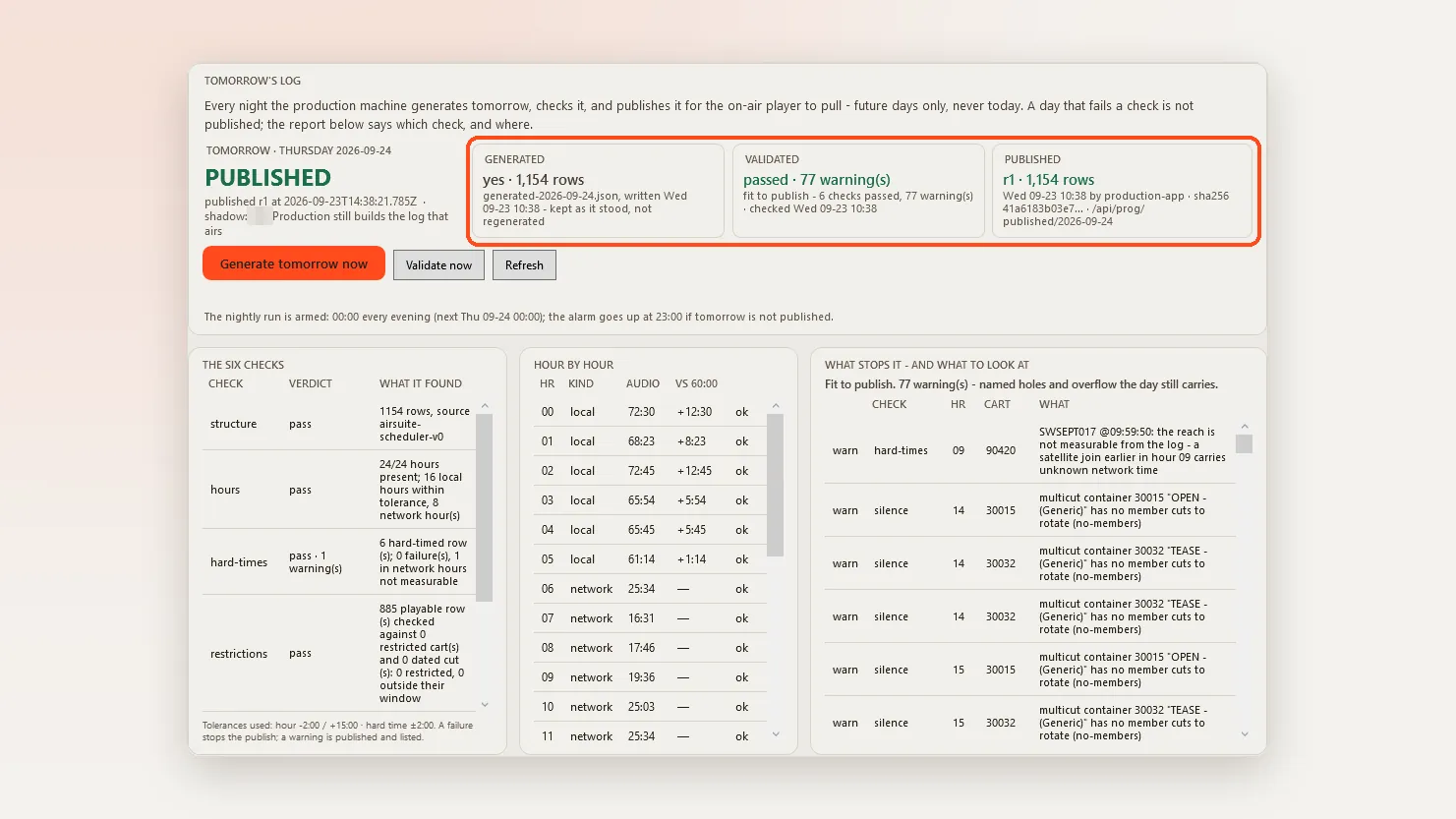 (opens the full-size image)
 (opens the full-size image)
 (opens the full-size image)
 (opens the full-size image)
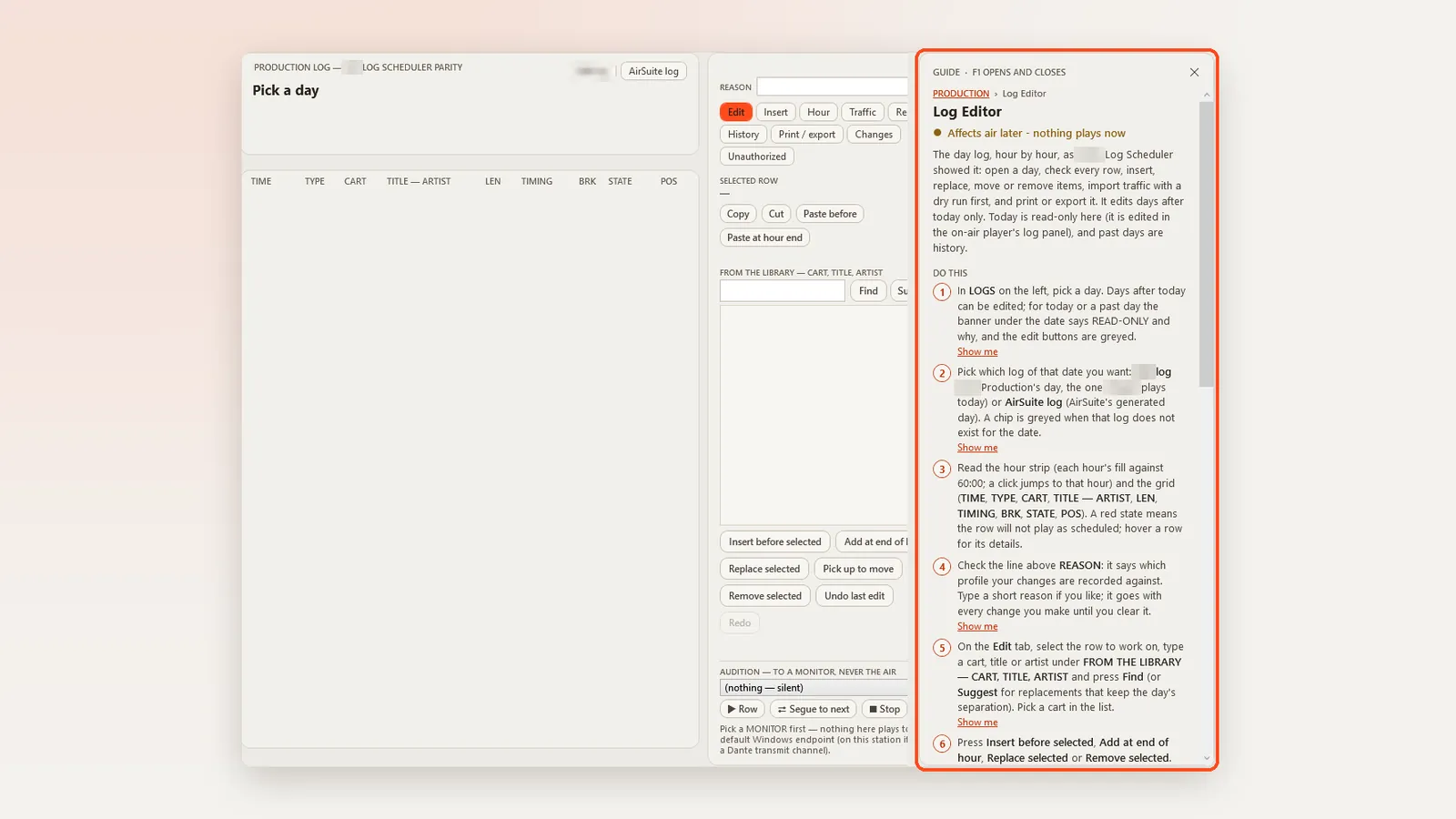 (opens the full-size image)
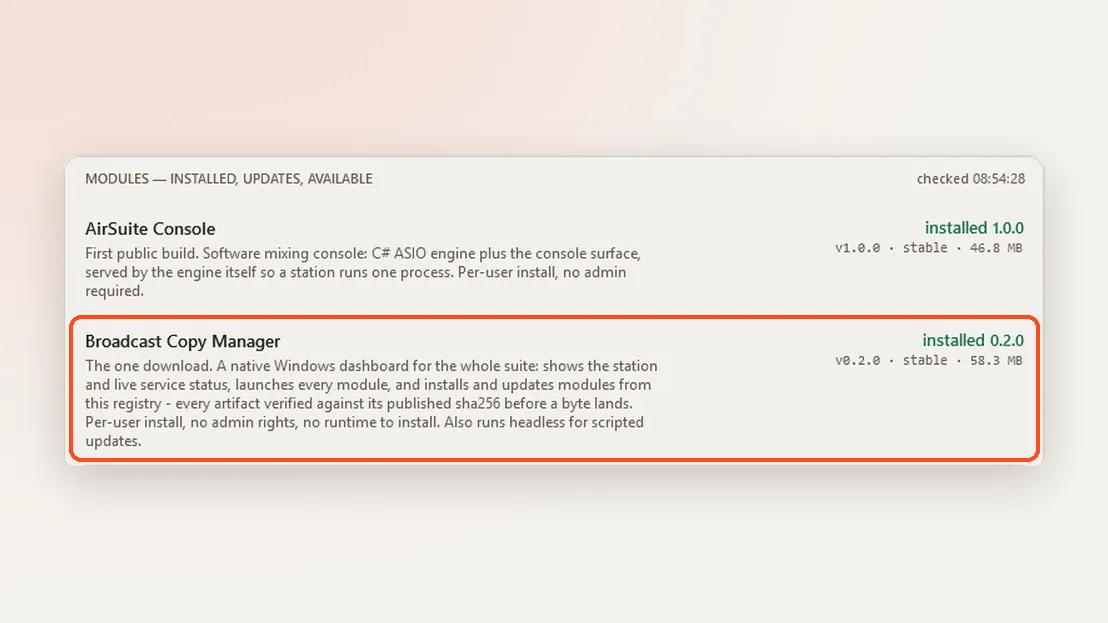 (opens the full-size image)
How it is built
Native studio apps
The studio applications — the Broadcast Copy Manager, the Production app, traffic — are native Windows programs built on .NET (WPF) with no third-party packages.
Services on your own network
The apps are clients of services that run on the station's own machines: Node.js with no third-party dependencies, keeping their data in SQLite. The on-air player pulls each published day from them.
Cloud control plane
Accounts, organizations, stations, the release registry and the public sites run on Postgres (Supabase) with row-level security and Deno edge functions. The websites, this one included, are static exports with no server of their own.
Stations kept apart
Every station-scoped table carries a station id and a restrictive row-level-security policy, so the database backs up the app's own scoping. The decided design goes further: one isolated database per station behind a shared control plane.
Installs and updates
One download, installed per user
The Broadcast Copy Manager installs into the user's own programs folder with an entry in Settings › Apps. It never asks for administrator rights and adds no services, scheduled tasks or firewall rules; it starts with Windows only if you ask for that, through a Startup shortcut you can see and delete.
A checksum on every artifact
Each module release is a row in the release registry: package, version, channel, size, address and SHA-256. The Manager refuses an artifact whose row has no checksum or whose download does not match it, and nothing installs itself — a person asks, or a script does.
Headless installs for scripted rollouts
The same pipeline as the Updates window — registry, SHA-256, installer — from a command line or a scheduled job. It exits 0 when the module installed and verified, 1 when it did not.
BroadcastCopySuiteManager.exe --install <package> --log install.logCheck a download yourself
Every file on the Download page has its SHA-256 published beside it. In PowerShell:
Get-FileHash .\BroadcastCopyManager-0.7.1.zip -Algorithm SHA256What gets recorded
Every log edit, append-only
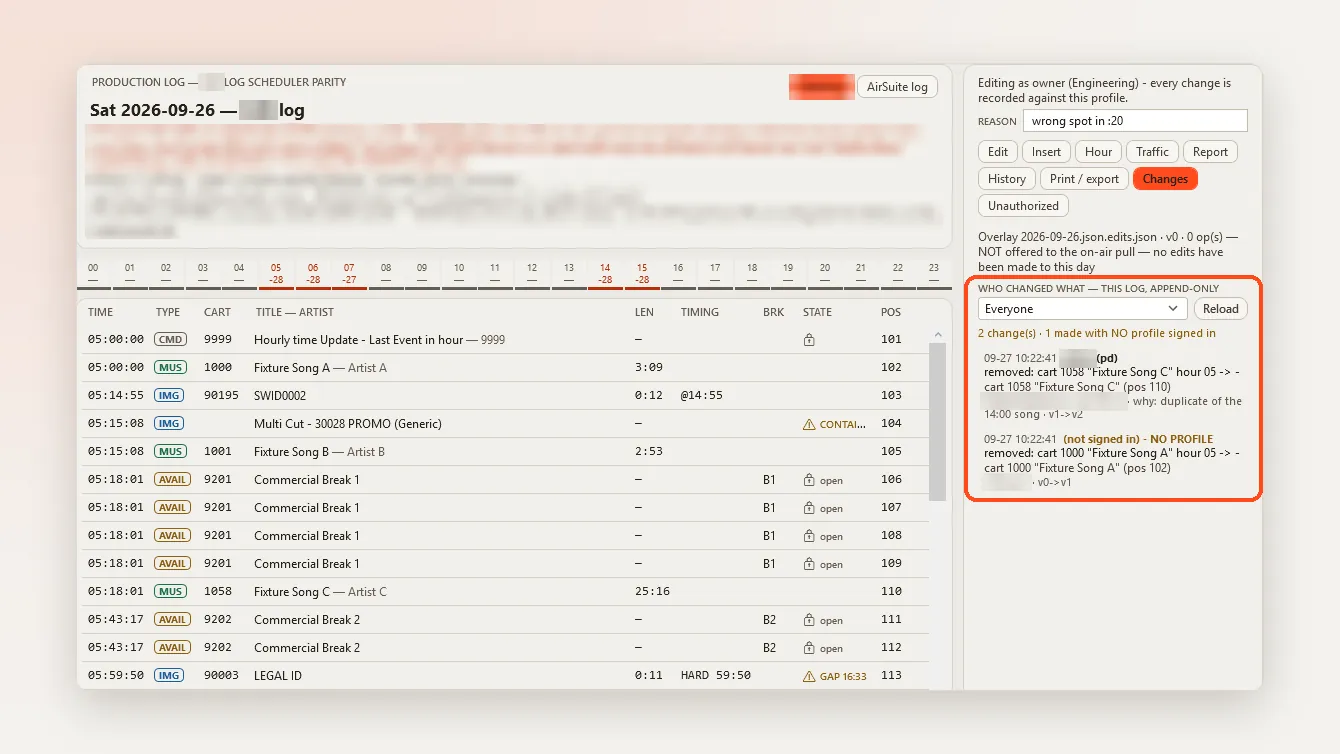
A change to a future day's log is recorded against the signed-in profile with its reason. The audit table is append-only in the database itself: an update or a delete is refused.
Sign-ins, the same way
The sign-in audit of the station's services is append-only at the database level too.
A gate before anything publishes
Tomorrow's log publishes only after it passes named checks — structure, hours, hard times, restrictions, silence, traffic and network — and it publishes as a numbered revision with its SHA-256. A day that fails a check is not published, and the report says which check and where.
AI that only drafts
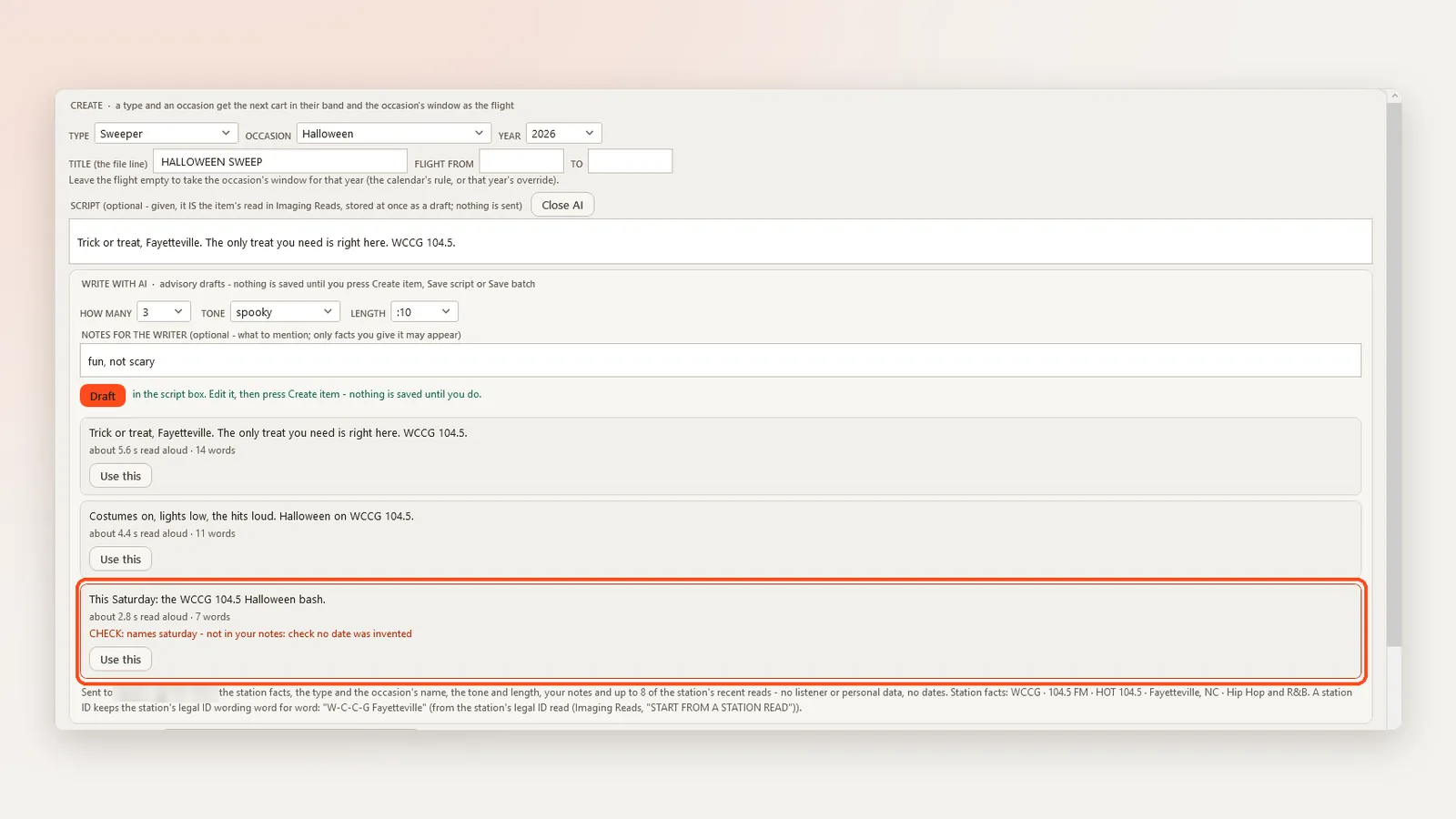
The optional imaging script writer fills a script box and nothing more: nothing is saved until a person saves it, and it is sent the station's facts and the request — no listener or personal data.
Getting data out today
Reports as CSV
As-run, affidavits and spot logs export as CSV from the station's reports.
Word documents
Promotions calendars export to Word (.docx) in their own layout.
Podcast feeds
RSS 2.0 with iTunes tags for every show marked published, served by the station's own service.
Now playing, outbound
An exporter can send each change as XML over TCP or as an HTTP POST — to an RDS encoder or a listening service. It ships switched off; a station turns it on.
Stream status, inbound
Reads Icecast, Shoutcast and Centova status for the station's streams.
Evaluating it for a station?
Tell us about your plant and what it has to connect to. Pricing is on request.